

⭐ Quick Answer
The best cheap laptop to replace an old Windows 8.1 PC under ₹30,000 is the Acer Aspire 3 with AMD Ryzen 3, 8GB RAM, and 512GB SSD running Windows 11 Home. Other top options include Asus VivoBook 15, Lenovo IdeaPad Slim, and HP Laptop 14—all offering Full HD displays and modern performance at this budget.
Best Laptop Under Rs.30,000: Ditch Windows 8.1 PC Today
If you’re still using a Windows 8.1 PC, here’s something you need to know: Microsoft officially ended support for Windows 8.1 on January 10, 2023. That means no more security updates, no bug fixes, and no protection against the latest cyber threats. Every day you keep running that old machine, you’re exposing your data to serious risk.
The good news? You don’t need a big budget to move on. Currently, India offers some genuinely impressive best cheap laptop replace old Windows 8.1, all priced under ₹30,000. These laptops, equipped with Windows 11 Home pre-installed, fast SSD storage, 8 GB RAM, Full HD displays, and processors from AMD Ryzen and Intel Core, offer a significant improvement over your current device.
In this guide, we’ve done all the research for you. You’ll find the 7 best laptops under ₹30,000 in India for 2025, a processor comparison, a step-by-step migration guide from Windows 8.1, use-case picks for students and home users, and clear advice on where to buy at the best price—all without stretching your budget.
Complete guide to Windows 8.1 end of support
Why You Must Replace Your Windows 8.1 PC Right Now
Microsoft Has Officially Ended Support for Windows 8.1
On January 10, 2023, Microsoft officially discontinued all support for Windows 8.1. This is not a minor update pause—it is a permanent end-of-life decision. Your current PC will no longer receive any security patches, feature updates, or technical support from Microsoft, no matter what.
What makes this change especially urgent is that most modern software—from Google Chrome to Microsoft Office to Zoom—has already started dropping compatibility with Windows 8.1. Over the next 12 months, more and more apps you rely on daily will stop working properly or refuse to install at all.
See our full Windows 8.1 vs Windows 10 comparison
Security Risks of Running an Unsupported OS in 2025
Running Windows 8.1 in 2025 is the digital equivalent of leaving your front door unlocked. Without security patches, every newly discovered vulnerability in the OS becomes a permanent open door for hackers, malware, and ransomware. Cybercriminals actively target machines running end-of-life operating systems precisely because they know no fix is coming.
If you use your PC for online banking, email, or storing personal files, the risk is especially serious. You may also find that your antivirus software gradually loses its ability to protect an unsupported system—making the situation worse over time.
What You’re Missing on a Modern Windows 11 Laptop
Switching to a new laptop under ₹30,000 with Windows 11 Home is not just about security—it’s about a dramatically better experience. Windows 11 brings a cleaner interface, faster startup times (especially with an SSD), better multitasking, DirectStorage for faster app loading, and native Android app support.
You also get compatibility with every modern application, seamless Microsoft 365 integration, and vastly improved touchpad gestures. The jump from Windows 8.1 to Windows 11 feels enormous in everyday use—and at under ₹30,000, it’s completely within reach.
What to Look for in the Best Laptop Under ₹30,000—Buyer’s Checklist
Processor—Intel Core i3 vs AMD Ryzen 3 vs AMD Ryzen 5
The processor is the single most important spec to get right at this price point. At the ₹30,000 budget in 2025, you have three realistic options: Intel Core i3 (12th or 13th gen), AMD Ryzen 3 (5000 series), and AMD Ryzen 5 (5625U or similar). Here’s how they compare:
| Processor | Best For |
|---|---|
| Intel Core i3 12th/13th Gen | Everyday tasks, Office, web browsing—a solid all-rounder |
| AMD Ryzen 3 (5000 series) | Better multi-core performance, better integrated graphics |
| AMD Ryzen 5 5625U | Light creative work, multitasking, more future-proof |
| Intel Celeron / MediaTek | ⚠️ Avoid—underpowered for Windows 11 in 2025 |
💡 Our Recommendation
Go for AMD Ryzen 3 or Intel Core i3 12th Gen as a minimum. Avoid Intel Celeron N4500, MediaTek, or eMMC-based storage laptops entirely—they will feel sluggish within a year.
RAM—Is 8GB Enough for Everyday Use?
Yes—8GB RAM is the sweet spot for a laptop under ₹30,000 in 2025. It handles web browsing with multiple tabs, Microsoft Office, Zoom calls, YouTube streaming, and light multitasking without any issues. Windows 11 Home itself runs comfortably on 8 GB.
However, avoid any laptop with only 4GB RAM—Windows 11 will feel noticeably sluggish. If a model offers 16 GB RAM at the same price, that’s a bonus worth taking. Also check whether the laptop has a free RAM slot for future upgrades before you buy.
Storage—Why You Need at Least a 256GB SSD (Not HDD)
This requirement is non-negotiable in 2025: you must buy a laptop with an SSD, not an HDD. An SSD makes Windows 11 boot in under 15 seconds, apps open instantly, and file transfers happen in a fraction of the time. An HDD-based laptop at the same price feels painfully slow in comparison.
Look for a minimum of a 256GB SSD—ideally a 512GB SSD if you store lots of media. Some budget laptops offer a 1TB HDD alongside a small SSD cache—avoid these and hold out for a full SSD configuration.
Display—Full HD vs HD: Does It Matter Under ₹30,000?
Absolutely yes. A Full HD (1920×1080) display makes a visible difference in sharpness, color accuracy, and eye comfort compared to a basic HD (1366×768) screen. At ₹30,000, Full HD panels are increasingly available—so there’s no reason to settle for an HD display.
Build Type—Thin and Light Laptop vs Standard Chassis
A thin and light laptop (typically under 1.5 kg) is ideal if you carry your laptop daily—for college, co-working spaces, or commuting. Models like the Asus VivoBook 15 and Acer Aspire Lite fall into this category. Standard-chassis laptops like the Acer Aspire 3 are slightly heavier but often offer better thermal performance and port selection.
Battery Life, Ports & Warranty in India
Look for a claimed battery life of at least 7–8 hours (real-world: ~5–6 hours). Essential ports: USB 3.0 (at least 2), USB-C, HDMI, and a card reader. For warranty, all major brands offer a 1-year on-site warranty in India. HP and Lenovo have the widest service networks across tier-2 and tier-3 cities.
Best Cheap Laptop Replace old Windows 8.1—Under ₹30,000 in India—2026 Price List
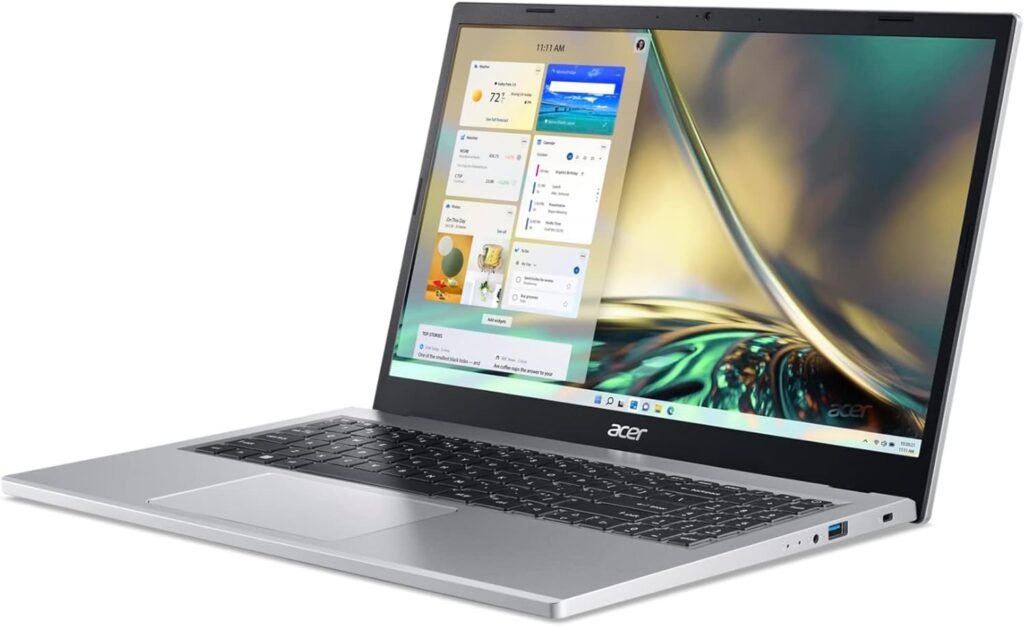
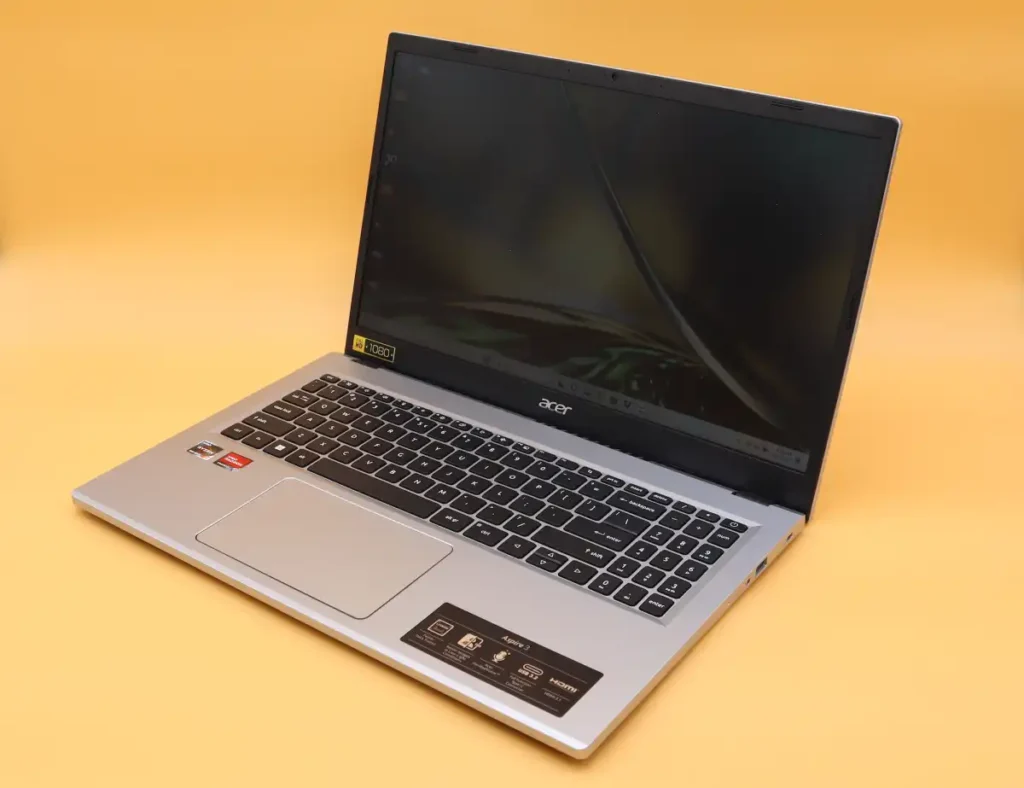
1. Acer Aspire 3 (AMD Ryzen 3 / Intel Core i3)—Best Overall
The Acer Aspire 3 has been the go-to recommendation for budget laptop buyers in India for years—and in 2025, it still earns that title. Whether you pick the AMD Ryzen 3 variant or the Intel Core i3 12th Gen version, you’re getting a reliable, well-rounded machine that punches well above its price tag.
| Spec | Details |
|---|---|
| Processor | AMD Ryzen 3 5300U / Intel Core i3 1215U (12th Gen) |
| RAM | 8GB DDR4 |
| Storage | 512GB SSD |
| Display | 15.6-inch Full HD (1920×1080) |
| OS | Windows 11 Home |
| Weight | 1.9 kg |
| Price | Approx. ₹27,000 – ₹29,500 |
Who Should Buy It: Anyone replacing a Windows 8.1 desktop for home, office, or student use who wants the best specs-per-rupee.
✅ Pros: Full HD display, 512GB SSD, AMD Ryzen performance, widely available service centres across India
❌ Cons: Plastic build, average speakers, no backlit keyboard on base variant
✔ Our Verdict
The Acer Aspire 3 is the safest, most spec-complete laptop you can buy under ₹30,000 in India. It is our top pick for Windows 8.1 replacement buyers.
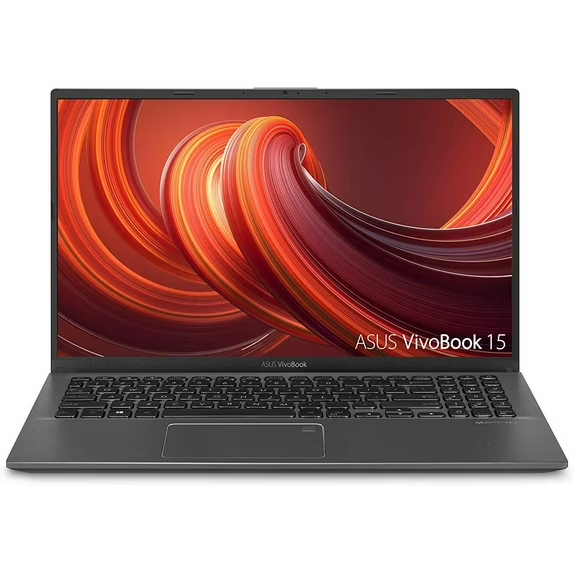
2. Asus VivoBook 15—Best Thin and Light Laptop Under ₹30,000
The Asus VivoBook 15 is the best-looking laptop on this list, with a slim profile, backlit keyboard, and a premium feel that belies its price tag. It’s available in AMD Ryzen 3 and Intel Core i3 variants with a Full HD display and a build that feels noticeably more premium than most laptops in this segment.
| Spec | Details |
|---|---|
| Processor | AMD Ryzen 3 3250U / Intel Core i3 (10th/12th Gen) |
| RAM | 8GB DDR4 |
| Storage | 256GB / 512GB SSD |
| Display | 15.6-inch Full HD Anti-Glare |
| OS | Windows 11 Home |
| Weight | 1.8 kg |
| Price | Approx. ₹26,000–₹30,000 |
Who Should Buy It: Students, young professionals, and daily commuters who want a stylish, thin, and light laptop that still delivers on performance.
✅ Pros: Premium design, backlit keyboard, Full HD Anti-Glare display, fast SSD
❌ Cons: Slightly lower battery life on AMD variant, 256GB SSD on entry model
✔ Our Verdict
If build quality and design matter as much as specs, the Asus VivoBook 15 is the best thin and light laptop under ₹30,000 you can buy today.
3. Lenovo IdeaPad Slim—Best for Students Under ₹30,000
Lenovo’s IdeaPad Slim series impresses students and budget buyers with its keyboard quality (Lenovo is famous for it), durable build, and reliable performance. The IdeaPad Slim 3 with Intel Core i3 12th Gen hits a sweet spot at this price for online classes and document work.
| Spec | Details |
|---|---|
| Processor | Intel Core i3 1215U (12th Gen) / AMD Ryzen 3 |
| RAM | 8GB DDR4 |
| Storage | 256GB / 512GB SSD |
| Display | 15.6-inch Full HD |
| OS | Windows 11 Home |
| Weight | 1.62 kg |
| Price | Approx. ₹27,000 – ₹29,990 |
Who Should Buy It: Students who need a reliable laptop for online classes, assignments, and light multitasking with the best keyboard in this price segment.
✅ Pros: Outstanding keyboard, light build (1.62kg), good battery life, strong brand service network
❌ Cons: Display could be brighter, limited port selection on slim variants
✔ Our Verdict
The Lenovo IdeaPad Slim is the best laptop under ₹30,000 for students—especially those who type a lot and need a reliable daily driver for college.
4. HP Laptop 14/15 Series—Best Brand Value Under ₹30,000
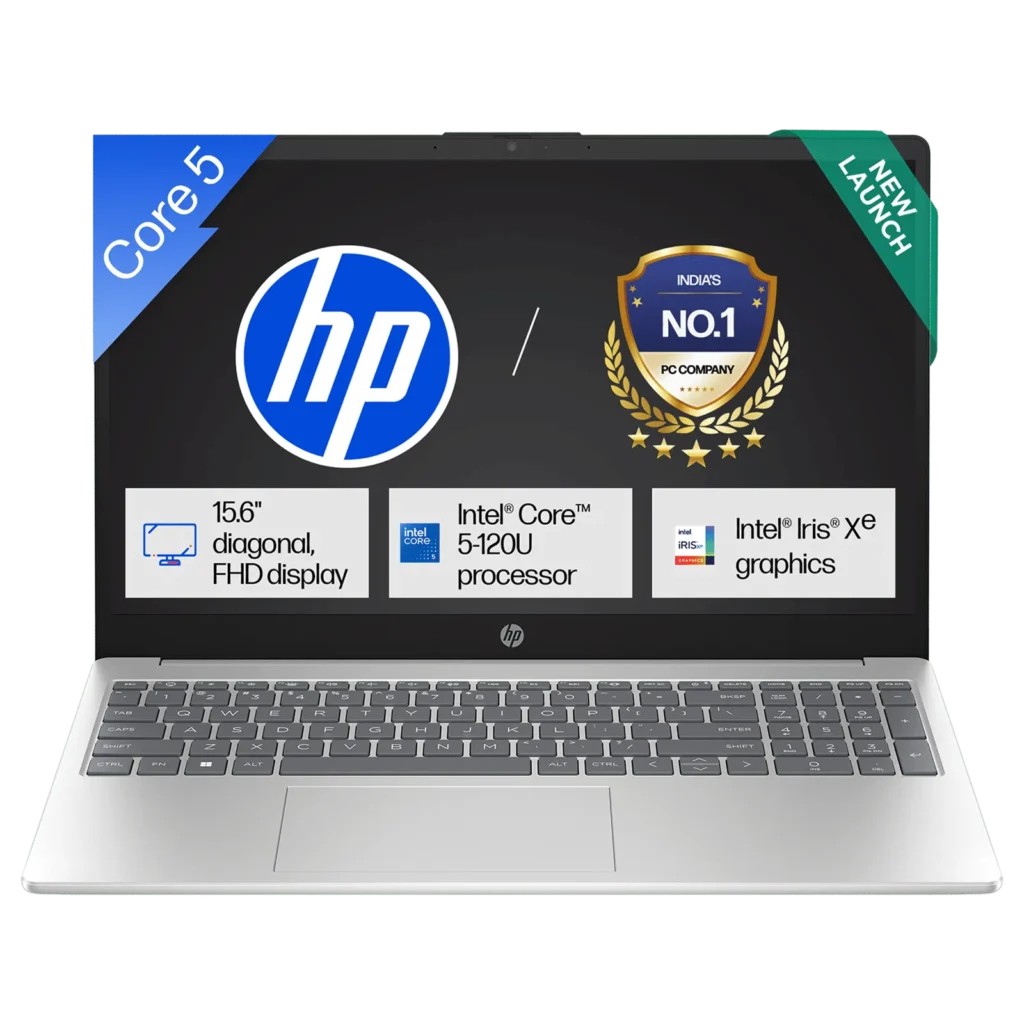
HP is one of the most trusted laptop brands in India, offering excellent after-sales service with centers in virtually every city. The HP Laptop 14 and 15 series comes with Intel Core i3 10th Gen or AMD Ryzen 3 processors, Full HD displays, and the build reliability HP is known for.
| Spec | Details |
|---|---|
| Processor | Intel Core i3 10th Gen / AMD Ryzen 3 |
| RAM | 8GB DDR4 |
| Storage | 256GB / 512GB SSD |
| Display | 14-inch or 15.6-inch Full HD |
| OS | Windows 11 Home |
| Weight | 1.46 kg (14-inch) |
| Price | Approx. ₹26,500–₹30,000 |
Who Should Buy It: Users in smaller cities or towns who value a trusted brand with the widest service and warranty network in India.
✅ Pros: HP brand reliability, widest service network, good display quality, easy EMI options on Flipkart and Amazon
❌ Cons: 10th Gen Intel is slightly dated; some models still ship with HDD—verify before buying
✔ Our Verdict
For peace of mind and after-sales support, HP is unbeatable. Just confirm you’re getting an SSD variant and Windows 11 Home pre-installed before purchasing.
5. Dell Inspiron 15—Best Build Quality Under ₹30,000
Dell’s Inspiron 15 brings a level of build quality and display calibration that is difficult to match in this price segment. The Inspiron 15 3000 series is particularly popular for its Full HD WVA anti-glare display, robust chassis, and dependable performance on Intel Core i3 or AMD Ryzen processors.
| Spec | Details |
|---|---|
| Processor | Intel Core i3 (12th Gen) / AMD Ryzen 3 |
| RAM | 8GB DDR4 |
| Storage | 512GB SSD |
| Display | 15.6-inch Full HD WVA Anti-Glare |
| OS | Windows 11 Home |
| Weight | 1.85 kg |
| Price | Approx. ₹28,500–₹30,000 |
Who Should Buy It: Home users and professionals who prioritize display quality and build durability over cutting-edge specs.
✅ Pros: Excellent display panel, solid build quality, Full HD Anti-Glare screen, reliable Dell service
❌ Cons: Slightly heavier, fewer configuration options available in India under ₹30,000
✔ Our Verdict
If display quality and build longevity are your top priorities, the Dell Inspiron 15 is worth the slight price premium. The screen alone justifies the choice.
6. Asus VivoBook Go 15—Best Budget AMD Ryzen 5 Laptop
The Asus VivoBook Go 15 (featuring AMD Ryzen 5 5625U) is arguably the most powerful laptop you can find at the edge of the ₹30,000 budget. The Ryzen 5 5625U significantly outperforms Ryzen 3 and Core i3 options in multi-threaded tasks, making it genuinely future-proof for the next 3–4 years of everyday computing.
| Spec | Details |
|---|---|
| Processor | AMD Ryzen 5 5625U (6-core) |
| RAM | 8GB DDR4 |
| Storage | 512GB SSD |
| Display | 15.6-inch Full HD |
| OS | Windows 11 Home |
| Weight | 1.8 kg |
| Price | Approx. ₹29,000–₹30,500 (best at sale prices) |
Who Should Buy It: Power-conscious buyers who want maximum performance from the ₹30,000 budget—ideal for light creative work, coding students, or heavy multitaskers.
✅ Pros: Ryzen 5 6-core processor, excellent integrated Radeon graphics, great value at sale prices
❌ Cons: Slightly above ₹30,000 at regular prices—best bought during Big Billion Days or Amazon Prime sales
✔ Our Verdict
If you catch the Asus VivoBook Go 15 at or under ₹30,000 during a sale, buy it immediately. The AMD Ryzen 5 5625U makes it the most future-proof laptop on this list.
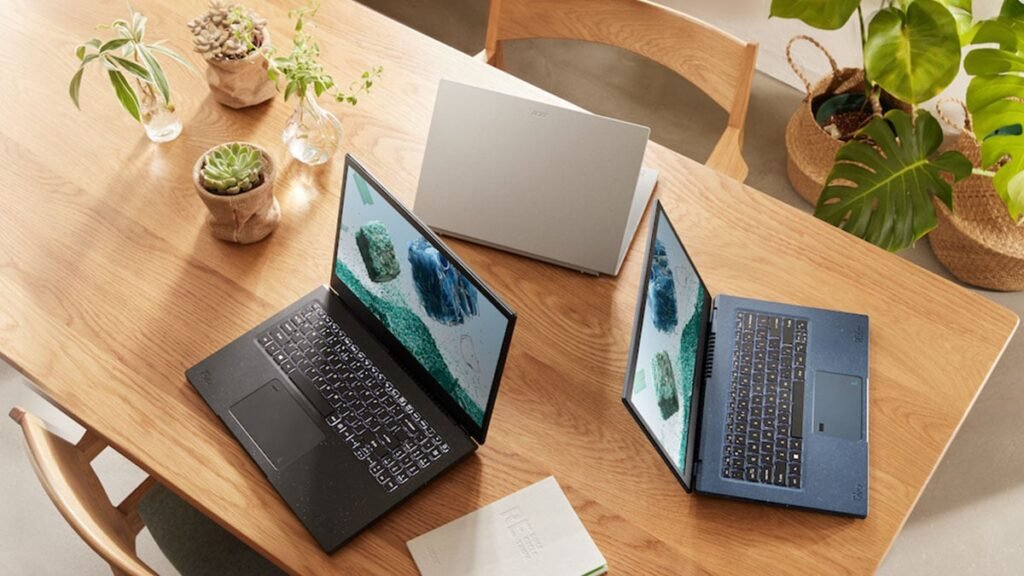
7. Acer Aspire Lite (Core i3)—Best for Light Productivity
The Acer Aspire Lite with Intel Core i3 12th Gen is a slim, lightweight option that works well for productivity tasks, document work, and online classes. Important: Only consider this model if it has a Core i3 or Ryzen 3 processor with a proper SSD. Any Celeron/MediaTek + eMMC configuration should be skipped entirely—it will feel slower than the Windows 8.1 machine you’re replacing.
| Spec | Details |
|---|---|
| Processor | Intel Core i3 12th Gen (i3-1215U) |
| RAM | 8GB DDR4 |
| Storage | 256GB SSD |
| Display | 15.6-inch Full HD |
| OS | Windows 11 Home |
| Weight | 1.59 kg |
| Price | Approx. ₹26,000–₹28,000 |
✅ Pros: Slim and light design, decent Core i3 performance, affordable entry price
❌ Cons: Only 256GB SSD on most variants; avoid eMMC / Celeron models at all costs
✔ Our Verdict
Good for light productivity if you get the Core i3 + SSD variant. Always verify the exact model number before buying—Celeron/eMMC variants under the same name are a trap.
Laptops Under ₹30,000—Quick Comparison Price List Table
| Model | Processor | RAM | Storage | Display | Price (Approx.) |
|---|---|---|---|---|---|
| Acer Aspire 3 | AMD Ryzen 3 / Core i3 12th | 8 GB | 512GB SSD | 15.6″ FHD | ₹27,000–₹29,500 |
| Asus VivoBook 15 | AMD Ryzen 3 / Core i3 | 8 GB | 256/512GB SSD | 15.6″ FHD | ₹26,000–₹30,000 |
| Lenovo IdeaPad Slim | Core i3 12th / Ryzen 3 | 8 GB | 256/512GB SSD | 15.6″ FHD | ₹27,000–₹29,990 |
| HP Laptop 14/15 | Core i3 10th / Ryzen 3 | 8 GB | 256/512GB SSD | 14″/15.6″ FHD | ₹26,500–₹30,000 |
| Dell Inspiron 15 | Core i3 12th / Ryzen 3 | 8 GB | 512GB SSD | 15.6″ FHD | ₹28,500–₹30,000 |
| Asus VivoBook Go 15 | AMD Ryzen 5 5625U | 8 GB | 512GB SSD | 15.6″ FHD | ₹29,000–₹30,500 |
| Acer Aspire Lite (i3) | Core i3 12th Gen | 8 GB | 256GB SSD | 15.6″ FHD | ₹26,000–₹28,000 |
Intel Core i3 vs AMD Ryzen 3 vs AMD Ryzen 5—Which Processor to Choose Under ₹30,000?
Real-World Performance: Browsing, Office, Zoom & Streaming
On any of the three recommended processors, you’ll comfortably run: Use 10–15 Chrome tabs simultaneously, Microsoft Office 365 (Word, Excel, PowerPoint), Zoom or Google Meet video calls, 1080p YouTube and Netflix streaming, and light photo editing in Canva or basic Photoshop.
Where differences emerge is when you layer multiple tasks at once—like being in a Zoom call while running a presentation and downloading files. Here, AMD Ryzen 3 and Ryzen 5 have a clear multi-core advantage over Intel Core i3, thanks to AMD’s superior integrated Radeon graphics and stronger thread-level performance.
Which Gen Processor Should You Look For in 2025?
Generation matters as much as the model name. An Intel Core i3 12th Gen (1215U) has 6 cores and is ~40% faster than a Core i3 10th Gen (1005G1), which has just 2 cores. Similarly, the AMD Ryzen 3 5000 series is a major step up from the older 3000 series.
Minimum acceptable in 2025: Intel Core i3 12th Gen (1215U or higher), or AMD Ryzen 3 5300U/5425U, or AMD Ryzen 5 5625U. If you see a 7th, 8th, or 10th Gen Intel processor at a low price, give it a pass.
When AMD Ryzen 5 Is Worth the Extra ₹2,000–3,000
If you can stretch to ₹29,000–30,500 (especially during sale events on Flipkart or Amazon), AMD Ryzen 5 models like the Asus VivoBook Go 15 are worth every extra rupee. The 6-core Ryzen 5 5625U delivers noticeably snappier performance, better multitasking, and handles light gaming on older titles without a dedicated GPU.
An AMD Ryzen 3 or Intel Core i3 12th Gen is more than sufficient for most everyday users who are replacing a Windows 8.1 PC.
Step-by-Step Guide—How to Switch from Windows 8.1 PC to a New Laptop
Step 1—Back Up Your Data from Your Old Windows 8.1 PC
Before you do anything else, back up everything you care about. Use an external hard drive (1TB drives cost ~₹3,000–₹4,000), a USB flash drive, or cloud storage like Google Drive or OneDrive. Backup your Documents, Desktop, Downloads, Photos, and any application-specific data (browser bookmarks, email archives, etc.).
Do NOT assume you can come back to it later. A complete backup takes 30 minutes and saves you weeks of regret.
Step 2—Transfer Files to Your New Laptop (USB / Cloud / External Drive)
Once your new laptop is unboxed and running Windows 11 Home, plug in your external drive or log into your Google/OneDrive account. Large file transfers (50GB+) via USB 3.0 take roughly 10–15 minutes. For browser bookmarks, use Chrome Sync or Edge Sync—sign into the same account, and your bookmarks, extensions, and saved passwords transfer automatically.
Step 3—Set Up Windows 11 Home on Your New Laptop
Most laptops under ₹30,000 come with Windows 11 Home pre-installed and pre-activated. Follow the on-screen setup, connect to your Wi-Fi, and sign in with a Microsoft account. During setup, take 5 minutes to go through the privacy preference screens rather than clicking “Next” on everything—you can turn off most diagnostic data collection here.
Step 4—Install Essential Apps and Restore Your Settings
Reinstall your essential apps: Google Chrome or Microsoft Edge, Microsoft 365 (or the free alternative LibreOffice), Zoom or Google Meet, VLC Media Player, and your preferred antivirus. Windows 11 includes Windows Defender, which is genuinely excellent and sufficient for most users. Spend 30 minutes personalizing your taskbar and settings to make the new laptop feel like home.
Step 5—Safely Dispose or Recycle Your Old PC
Before discarding your old Windows 8.1 machine, wipe it completely: Settings > Update & Security > Recovery > Reset this PC > Remove Everything. For a desktop tower, consider donating to a local school or NGO. Dell and HP offer e-waste take-back programs in India. Never throw electronics in regular trash.
Which Is the Right Laptop for You?—Use Case-Based Recommendations
Best Laptop Under ₹30,000 for Students
For students attending online classes, submitting assignments, and doing research, the Lenovo IdeaPad Slim 3 or Acer Aspire 3 are ideal picks. Both offer excellent keyboards, 8GB RAM for multitasking, Full HD displays, and SSD speed that keeps the laptop snappy. The Lenovo edges ahead for students who type heavily—the keyboard is class-leading at this price.
Best Laptop Under ₹30,000 for Work from Home/Office Use
For Microsoft Office, email, video calls, and light document work, any laptop with 8GB RAM and a 512GB SSD from the brands on this list will serve you well. The HP Laptop 15 is a particularly safe choice for WFH users who value brand reliability and may need on-site warranty support. For frequent video calls, consider an external USB webcam if call quality matters to your work.
Best Thin and Light Laptop Under ₹30,000 for Daily Carry
If your laptop goes into a backpack every day, weight is critical. The Lenovo IdeaPad Slim 3 (1.62 kg) and HP Laptop 14 (1.46 kg) are the lightest options under ₹30,000. For college students who use public transport, the 14-inch HP or Lenovo Slim is the most practical choice—light enough not to be a burden, rugged enough for daily knocks in a bag.
Best Laptop Under ₹30,000 for Basic Gaming/Entertainment
None of these laptops are gaming laptops—don’t expect modern AAA games. However, with AMD Ryzen 3 or Ryzen 5 integrated Radeon graphics, you can comfortably play older titles like Minecraft, GTA Vice City/San Andreas, FIFA 14–16, and Counter-Strike: GO on low settings. The Asus VivoBook Go 15 with AMD Ryzen 5 5625U is the best pick if occasional light gaming matters to you.
Consider a refurbished Windows 10 laptop instead
Where to Buy the Best Laptop Under ₹30,000 in India
Amazon India vs Flipkart—Where You Get the Better Deal
Both Amazon India and Flipkart are excellent platforms for buying laptops. Amazon tends to be slightly better for Lenovo and Dell, while Flipkart often runs better deals on Acer and Asus. The best approach: check both before purchasing. Watch for bank-specific offers—HDFC, SBI, and ICICI regularly offer 10% instant discounts or zero-cost EMI. During sale events (Amazon Great Indian Festival, Flipkart Big Billion Days), prices can drop by ₹2,000–₹4,000.
Offline Stores vs. Online—Pros and Cons for Indian Buyers
Offline stores like Croma, Reliance Digital, and authorized brand showrooms let you physically test the keyboard, display, and build before buying. However, prices are typically ₹1,000–₹3,000 higher than online, and stock is more limited. Online buying is better for price, variety, and delivery to remote locations. Always buy from authorized sellers on Amazon/Flipkart and check the return/replacement policy before ordering.
How to Spot a Fake Deal or Refurbished Laptop Being Sold as New
Be cautious of suspiciously low prices—a listing claiming “i5 processor, 16GB RAM, 1TB SSD” for ₹18,000 is almost certainly fake, refurbished, or has a major catch. Always verify the seller rating and reviews, whether the seller is “Fulfilled by Amazon” or “Flipkart Assured,” the exact model number against the manufacturer’s website, and recent buyer reviews mentioning box condition. If a deal appears too appealing at this price point, it is almost always a scam.
Common Mistakes to Avoid When Buying a Laptop Under ₹30,000
Buying a Laptop With HDD Instead of SSD in 2025
This is the single biggest mistake you can make at this price point. An HDD laptop in 2025 will feel slower than your old Windows 8.1 PC—that’s not an exaggeration. Windows 11 on an HDD takes 60–90 seconds to boot, apps take ages to open, and updates can lock up the machine for hours. Always verify you’re getting a true SSD (NVMe or SATA) before purchasing.
Choosing HD Display Over Full HD to Save ₹1,000
Saving ₹1,000 by choosing a 1366×768 HD display over a Full HD panel is a decision you’ll regret every single day. Text looks fuzzy, images look pixelated, and streaming video lacks crispness. Full HD panels are now widely available under ₹30,000—there’s no justification for choosing HD in this budget.
Ignoring After-Sales Service and Warranty Centres in Your City
A fantastic spec sheet means nothing if the nearest service center is 200 km away. Before buying, check the brand’s official website for service centers in your city. HP and Lenovo have by far the most extensive service networks in India—covering tier-2 and tier-3 cities comprehensively.
Falling for Older-Gen Processors at Attractive Price Points
A listing that says “Intel Core i5” sounds impressive—until you realize it’s a 7th Gen processor from 2016. Older generation processors, even high-model-number ones, are consistently slower than a modern Core i3 12th Gen for Windows 11 tasks. Always look for the generation number: 12th Gen (1215U), 13th Gen (1335U)—not just the model name.
Overlooking RAM and SSD Upgrade Slots for Future-Proofing
Most budget laptops come with soldered RAM, but some have a free SO-DIMM slot for adding more RAM later. Similarly, some offer an M.2 SSD slot (occupied) and a SATA slot (empty) for adding a second storage drive. Always check upgrade options on the manufacturer’s website or YouTube teardown videos—these upgrades can extend the laptop’s usability by years.
Tips and Best Practices Before You Finalize Your Laptop Purchase
Always Check the Generation of the Processor (Not Just the Model)
The model name alone tells you very little without the generation. A Core i3 12th Gen (1215U) has 6 cores and is 40% faster than a Core i3 10th Gen (1005G1), which has just 2 cores. Always look for the full processor model number in the listing and cross-check it on Intel’s or AMD’s official website to see the launch year and performance tier.
Verify Windows 11 Home Comes Pre-Installed (Not Windows 10 Downgraded)
Some older laptop stock in India still ships with Windows 10 or “DOS” (no OS). Insist on Windows 11 Home pre-installed. If a laptop ships with DOS, factor in the cost of a legitimate Windows 11 license (₹3,000–₹5,000) before comparing prices.
Read the Return Policy Before You Buy a Laptop Online
Both Amazon India and Flipkart offer a replacement policy of 7–10 days and a full refund after opening. Read the specific seller’s return policy on the product page before purchasing, especially for third-party-sold items.
Consider EMI Options If ₹30,000 Is Your Hard Limit
Both Amazon and Flipkart offer zero-cost EMI on laptop purchases from ₹15,000 and above. You can spread the cost over 3–12 months without additional interest. This makes even a ₹32,000–₹35,000 laptop (with better specs) accessible within your effective monthly budget—worth considering if you want the best value for money.
Buy a genuine Windows 10 or 11 license instead
Future Trends—Will Laptops Under ₹30,000 Get Better in 2025–26?
AMD Ryzen 7000 Series Trickling Into the Budget Segment
AMD’s Ryzen 7000 series (Zen 4 architecture) is steadily trickling down to the sub-₹35,000 segment. By late 2025 or early 2026, expect to see AMD Ryzen 5 7520U-powered laptops entering the ₹28,000–₹30,000 price band—bringing improved power efficiency, better integrated graphics, and PCIe 4.0 SSD support to budget buyers.
OLED Displays and Wi-Fi 6 Coming to the ₹30,000 Price Band
OLED laptop displays have already appeared on laptops in the ₹40,000–₹50,000 range in India. As manufacturing costs fall, expect entry-level OLED panels to reach the ₹30,000 segment by 2026. Similarly, Wi-Fi 6 (802.11ax) is becoming more common in budget laptops, offering faster and more reliable wireless performance.
What to Expect From the Next Wave of Budget Laptops in India
The next generation of budget laptops will likely bring better battery efficiency (10+ hours real-world), thinner and lighter chassis at the same price, USB-C charging as standard, and improved display quality across the board. If timing allows, waiting until the late 2025 sale season may yield noticeably better options at the ₹30,000 price point.
Our Final Verdict—Best Laptop to Buy Under ₹30,000 Right Now
🏆 Top Pick Overall—Acer Aspire 3 (AMD Ryzen 3, 8GB, 512GB SSD)
Top Pick
The Acer Aspire 3 with AMD Ryzen 3, 8GB RAM, 512GB SSD, and Full HD display is the best all-round laptop under ₹30,000 in India for 2025. It offers the best combination of performance, specs, price, and availability—making it the safest choice for anyone upgrading from a Windows 8.1 PC.
🎓 Best Value for Students—Asus VivoBook 15
Student Pick
The Asus VivoBook 15 combines a premium design, backlit keyboard, Full HD anti-glare display, and speedy SSD in a thin and light form factor that students will love. It’s the best-looking laptop on this list and proves that a budget price doesn’t have to mean a budget look.
🏅 Best Brand Trust—HP or Lenovo IdeaPad Series
Brand Trust Pick
For buyers in smaller Indian cities who value after-sales support above everything else, the HP Laptop 15 and Lenovo IdeaPad Slim 3 are the safest choices. Both brands have the widest service networks in India and offer reliable ownership experiences that match their reputations.
Frequently Asked Questions (FAQs)
Which is the best laptop under ₹30,000 in India in 2025?
For most users, the best laptop under ₹30,000 is the Acer Aspire 3, which comes with an AMD Ryzen 3 processor, 8GB of RAM, and a 512GB SSD. The Asus VivoBook 15 and Lenovo IdeaPad Slim are strong alternatives offering Full HD displays, Windows 11 Home, and reliable after-sales support across India.
Can a laptop under ₹30,000 replace a Windows 8.1 desktop PC?
Yes, absolutely. Modern laptops under ₹30,000 with SSD storage, AMD Ryzen 3 or Intel Core i3 processors, and 8GB RAM significantly outperform old Windows 8.1 desktops. They also come with Windows 11 Home pre-installed, offering better security, speed, and software compatibility for everyday tasks.
Are 8GB RAM and 512GB SSD enough in a laptop under ₹30,000?
Yes, 8GB RAM and 512GB SSD are sufficient for students, home users, and office work. 8GB RAM handles multitasking, web browsing, MS Office, and video calls smoothly. A 512GB SSD is faster than any old HDD and offers ample storage. You can upgrade RAM later if your laptop has an additional slot available.
Should I choose AMD Ryzen 3 or Intel Core i3 in a budget laptop?
AMD Ryzen 3 (especially the 5000 or 7000 series) generally offers better multi-core performance and integrated graphics than Intel Core i3 at the same price. For everyday use, both work well. If you need slightly better performance for media or light creative tasks, opt for AMD Ryzen 3 or Ryzen 5.
Which brand is best for laptops under ₹30,000—HP, Asus, Acer, or Lenovo?
All four brands are reliable at this price point. Acer Aspire 3 leads in specs-per-rupee value. Asus VivoBook offers the best build quality. HP provides the widest service network in India. The Lenovo IdeaPad is ideal for students needing a balance of performance and durability.
Where is the best place to buy a laptop under ₹30,000 in India?
Amazon India and Flipkart offer the most competitive prices, frequent bank discounts, and straightforward return policies. For physical inspection and immediate purchase, visit Croma, Reliance Digital, or authorized brand stores. Always compare prices online before buying offline to ensure you get the best deal.
Conclusion—Time to Upgrade: Your Windows 8.1 PC Has Had a Good Run
If you’re still sitting at an old Windows 8.1 PC, today is genuinely the day to make the switch. Microsoft ended support over two years ago, security risks are real and growing, and modern laptops under ₹30,000 in India are better than ever in 2025. You don’t need a big budget—you just need the right information.
To summarize: the Acer Aspire 3 is our top pick for most buyers—unbeatable value, solid specs, and wide availability. The Asus VivoBook 15 is the best choice if design and portability matter. The Lenovo IdeaPad Slim 3 has the best keyboard experience for students. And if you can stretch to the AMD Ryzen 5 VivoBook Go 15 during a sale, grab it without hesitation.
Whatever you choose from this list—with an SSD, 8GB RAM, Full HD display, and Windows 11 Home pre-installed—you’re going to feel like you stepped five years into the future. That old Windows 8.1 machine served you well. Now it’s time to move on.
🚀 Ready to Buy?
Compare prices on Amazon India and Flipkart, check for bank card offers, and use affordable EMI options if needed. Your new laptop under ₹30,000 is waiting—and it’s going to be worth every rupee.