If you’re still using Windows 8.1, you’re already at risk. Microsoft officially ended all support for Windows 8.1 in January 2023—meaning no more security patches, no bug fixes, and no protection against the cyber threats that multiply every single day. Your aging machine isn’t just slow; it’s a liability.
The good news? You can restore your laptop’s performance without spending $800 on a brand-new device. The best budget Windows 10 refurbished laptops available in 2026 offer everything you need—a speedy SSD, 8 GB of RAM, a modern processor, and a genuine Pro license—all for $150 to $300.
In this guide, we’ll walk you through exactly what to look for in a refurbished laptop, share our top seven picks to replace your Windows 8.1 machine, compare the biggest brands side by side, and show you how to get set up safely from day one. Whether you’re a home user, a small business owner, or a student on a tight budget, there’s a perfect affordable laptop waiting for you right here.
Quick Answer
Best budget refurbished laptop to replace Windows 8.1: The best budget refurbished computer to replace Windows 8.1 is the Dell Latitude or Lenovo ThinkPad with an Intel Core i5 processor, 8GB RAM, 256GB SSD, and Windows 10 Pro—available for $150–$300. These certified refurbished laptops deliver reliable everyday performance, strong build quality, and full security support that Windows 8.1 no longer provides.
Why It’s Time to Stop Using Windows 8.1 (And What Happens If You Don’t)
Let’s be direct: continuing to use a Windows 8.1 machine in 2026 is not a neutral decision. It carries real, growing risks that most people don’t fully appreciate until something goes wrong.
Windows 8.1 End of Support: What It Means for Your Security
Microsoft ended extended support for Windows 8.1 on January 10, 2023. From that date forward, Microsoft stopped issuing security updates, critical patches, and technical support for the operating system entirely.
What does that mean in practice? Every new vulnerability discovered in Windows 8.1 after that date remains permanently unpatched. Hackers know exactly which operating systems are unprotected—and they actively target them. Running Windows 8.1 in 2026 is the digital equivalent of leaving your front door unlocked in a neighborhood where every burglar knows which houses have no alarms.
Your banking sessions, personal files, and passwords are all more vulnerable than they would be on any modern, supported Windows machine.
Can You Upgrade from Windows 8.1 to Windows 10 or Windows 11 for Free?
Here’s the frustrating truth: Microsoft’s free upgrade path from Windows 8.1 to Windows 10 officially ended years ago. While some users have reported success using workarounds, there is no guaranteed, legitimate free upgrade from Windows 8.1 to Windows 10 or Windows 11 in 2026.
Even if you could force the upgrade, many older machines running Windows 8.1 simply lack the hardware to run Windows 10 comfortably. A processor from 2012 with 4 GB RAM and a spinning hard drive will technically run Windows 10—but it will feel like trying to run a marathon in concrete shoes.
Why Buying a Refurbished Laptop Is Smarter Than Upgrading Your Old PC
This scenario is where the math starts to work heavily in your favor. Replacing the RAM, adding an SSD, and purchasing a Windows 10 license for your old machine can easily cost $150 to $200—and you’re still stuck with aging hardware and no warranty.
A certified refurbished laptop, by contrast, gives you a professionally tested machine with a new SSD, updated RAM, a legitimate Windows 10 Pro license, and at least a 90-day warranty—all for a similar or lower price. It’s not even close. A reliable refurbished model from a trusted source like Discount Computer Depot beats a DIY upgrade on an old PC almost every time.
What to Look for in the Best Budget Windows 10 Refurbished Laptop
Before you start shopping, it pays to understand exactly what the specs mean—and which ones actually are relevant for everyday use.
Minimum Specs for Windows 10 Performance (RAM, SSD, Processor)
Windows 10 has a minimum hardware requirement, but “minimum” and “comfortable” are entirely unique things. Here’s what you actually need for a smooth daily experience in 2026:
- Processor: Intel Core i5 (7th Gen or newer) or Intel Core i7 (8th Gen or newer)
- RAM: 8GB minimum (non-negotiable for modern browsing and multitasking)
- Storage: 256GB SSD minimum (a hard drive will make Windows 10 feel sluggish)
- Display: 1366×768 minimum, though FHD (1920×1080) is strongly preferred
- Battery: 4+ hours of real-world battery life
Anything below these specs and you’re setting yourself up for frustration.
4GB RAM vs 8GB RAM vs 16GB RAM—Which Do You Actually Need?
This single specification causes more buyer confusion than any other—and more buyer regret.
4GB RAM will run Windows 10, but only barely. Open four Chrome tabs, launch Microsoft Word, and check your email simultaneously, and you’ll feel the machine grinding. In 2026, 4GB is not a workable daily-use configuration.
8GB RAM is the sweet spot for most users. It handles everyday browsing, streaming, Office applications, video calls, and light multitasking without complaint. For the vast majority of people replacing a Windows 8.1 machine, 8GB is all you need.
16GB RAM is the right choice if you work with large spreadsheets, run virtual machines, edit photos or videos, or want your laptop to remain fully capable for the next five to six years. If you can stretch your budget to 16 GB RAM, it’s worth every extra dollar.
256GB SSD vs 512GB SSD: Storage Guide for Everyday Use
The shift from a spinning hard drive to an SSD is the single biggest performance improvement you’ll notice when replacing a Windows 8.1-era laptop. Windows boots in seconds instead of minutes. Programs open instantly. The difference is genuinely dramatic.
256GB SSD is more than enough for most users who rely on cloud storage (Google Drive, OneDrive, Dropbox) for documents, photos, and media. Windows 10 itself takes about 25–30 GB, leaving you roughly 200 GB of usable space.
512GB SSD makes sense if you store large media files locally, install many programs, work offline frequently, or simply dislike the cloud storage habit. The price premium for 512GB over 256GB on a refurbished laptop is typically just $20–$50—often a worthwhile upgrade.
Intel Core i5 vs Intel Core i7—Budget Laptop Processor Explained
For most people replacing a Windows 8.1 machine, an Intel Core i5 processor—particularly 8th Gen or newer—is entirely sufficient. It handles web browsing, email, Office, streaming, and video calls without breaking a sweat.
An Intel Core i7 11th Gen adds meaningful performance for more demanding tasks: faster rendering, smoother multitasking with heavy programs, and better future-proofing. However, i7 refurbished laptops cost $50–$100 more, and for basic everyday use, most users won’t notice the difference.
A practical rule: if your daily tasks are browser, email, and Office, buy the i5 and save the money.
Understanding Refurbished Laptop Grades: What Are Grades A, B, and C?
Not all refurbished laptops are created equal. Most sellers assign grades to their refurbished electronics, which is crucial when making a purchase.
- Grade A: Like new cosmetically. Minor or no visible wear. Fully functional. This model is what you want.
- Grade B: Light cosmetic wear—small scratches or scuffs on the chassis—but fully functional. Good value pick.
- Grade C: Visible cosmetic damage—dents, heavier scratches—but hardware is functional. Only consider Grade C from a seller with a clear return policy and warranty.
Always filter for Grade A or Grade B when buying refurbished items for everyday use. Avoid Grade C unless you genuinely aren’t concerned about aesthetics.
Windows 10 Home vs Windows 10 Pro vs Windows 11 Pro—Which Is Right for You?
Windows 10 Home is Microsoft’s consumer edition. It handles everything a home user needs—browsing, streaming, gaming, and Office—and costs less than the Pro version.
Windows 10 Pro (also listed as Windows 10 Professional) adds BitLocker drive encryption, Remote Desktop, and the ability to join a corporate domain. If you work from home, handle sensitive data, or need remote access to your work computer, Windows 10 Pro is worth the small premium.
Windows 11 Pro (Win 11 Pro) offers the newest interface and features but requires compatible hardware—specifically TPM 2.0 support. Most 8th Gen and newer processors qualify, but always verify before purchasing.
Best Budget Refurbished Laptops to Replace Windows 8.1—Our Top Picks
These are the specific laptops we’d actually buy if we were replacing a Windows 8.1 machine today. Each has been selected for value, reliability, and availability through certified refurbishers.
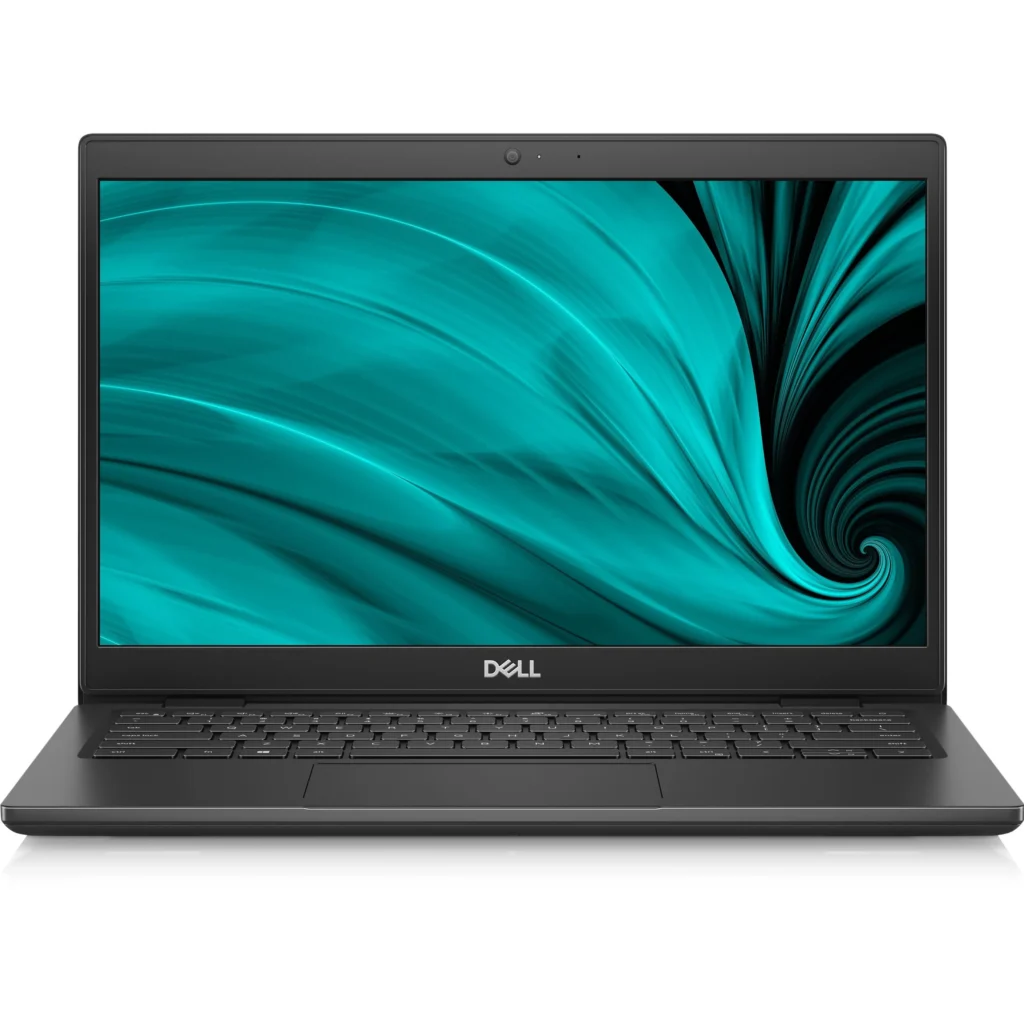
1. Dell Latitude (i5/i7, 8GB RAM, 256GB SSD) — Best All-Around Refurbished Laptop
The Dell Latitude is the gold standard of refurbished laptops for good reason. Built for business durability, these machines are regularly refreshed by large corporate fleets, which means pristine Grade A units flood the refurbished market at remarkably low prices.
A typical Dell Latitude with an Intel Core i5 processor, 8GB RAM, 256GB SSD, and Windows 10 Pro runs $149–$229 at trusted resellers. The build quality is exceptional—metal chassis, excellent keyboards, solid hinges—and spare parts are widely available.
Best for: Home users, remote workers, anyone wanting maximum reliability at minimum cost.
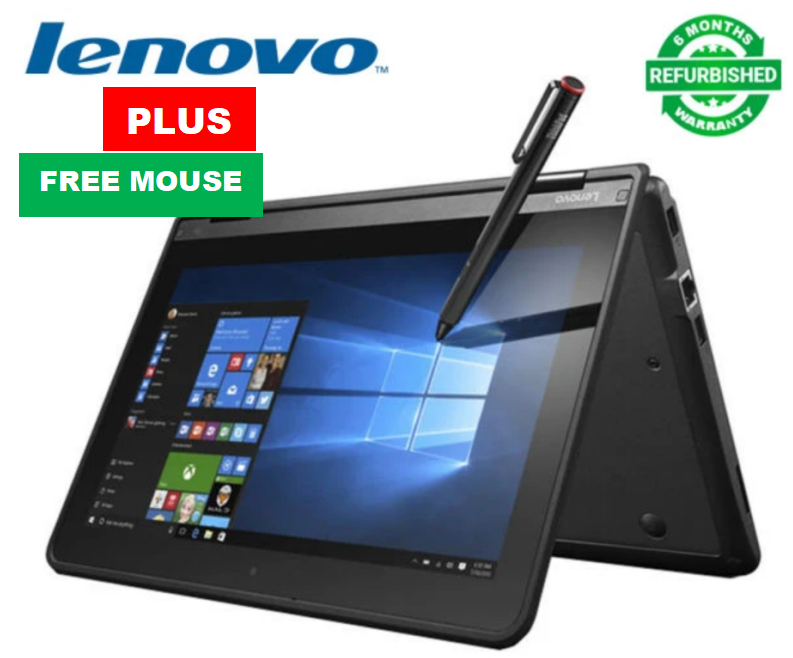
2. Lenovo ThinkPad (8GB RAM, 256GB SSD, Backlit Keyboard)—Best Business Laptop Under $300
Lenovo laptops—specifically the ThinkPad line—are legendary among IT professionals for one reason above all others: they refuse to break. The ThinkPad keyboard is widely considered the best on any laptop at any price point, and refurbished units retain that quality completely.
A ThinkPad T480 or T490 with 8GB RAM, 256GB SSD, a backlit keyboard, and Windows 10 Pro is available in the $180–$270 range. These machines also commonly support RAM upgrades to 16 GB or 32 GB, giving you a long upgrade path if needed.
Best for: Business users, writers, anyone who types for hours and needs a keyboard they’ll love.
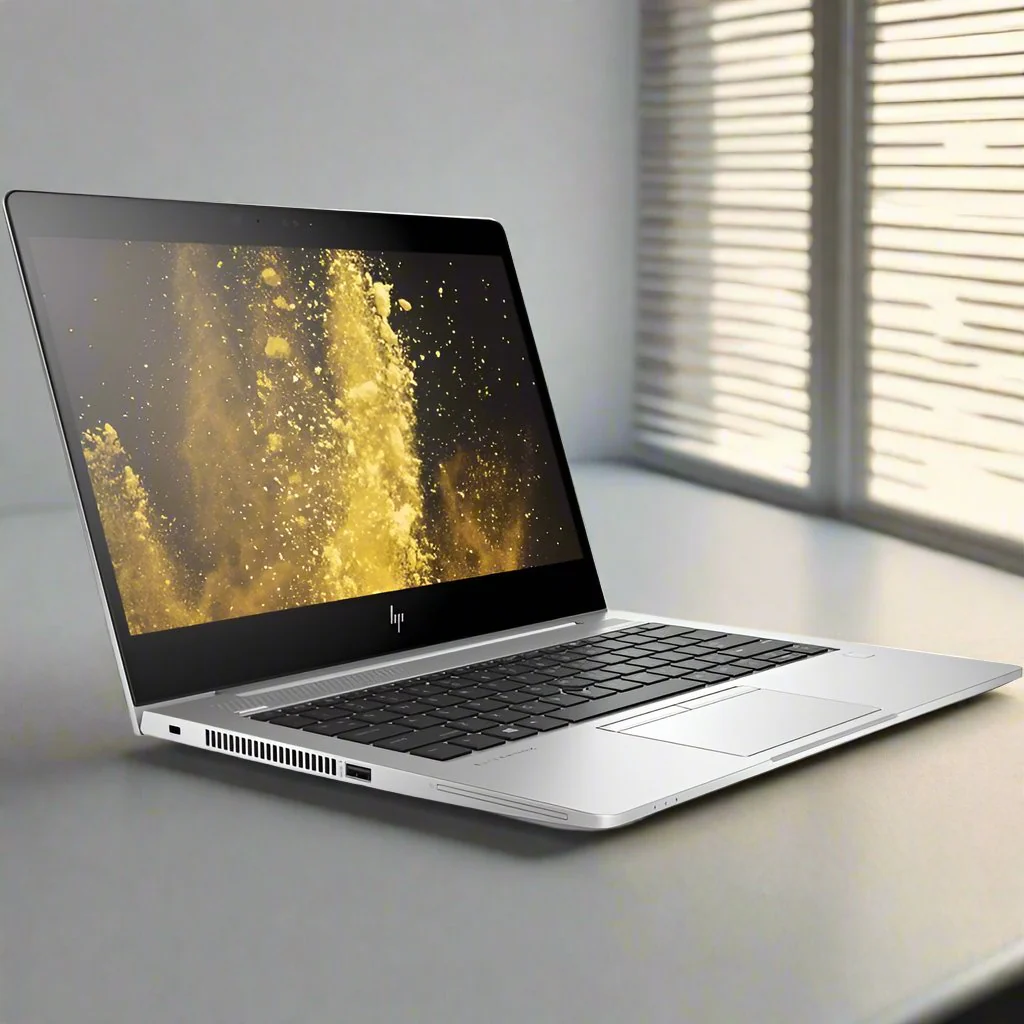
3. HP EliteBook / ProBook (Intel Core i5, FHD, Windows 10 Pro)—Best HP Refurbished Laptop
HP’s EliteBook series is the company’s premium business line—and refurbished units offer FHD displays, Intel Core i5 processors, and Windows 10 Pro at prices that undercut new budget laptops dramatically.
An HP EliteBook 840 G5 or G6 with FHD display, Intel Core i5 processor, 8GB RAM, and 256GB SSD typically runs $159–$249. The FHD display is a genuine standout in this price range—colors are sharp, text is crisp, and the overall experience feels far more premium than the price suggests.
Best for: Anyone who prioritizes display quality; professionals who want a polished look.
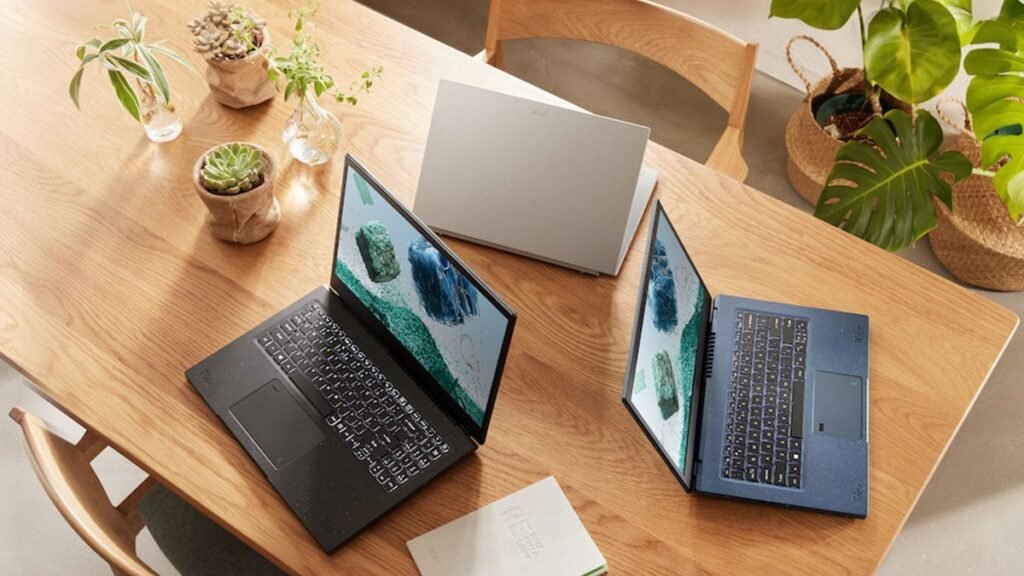
4. Acer Aspire Refurbished (8GB RAM, 512GB SSD)—Best Cheap Laptop for Students
Acer’s refurbished offerings occupy the most affordable corner of the market without sacrificing the essentials. A refurbished Acer Aspire with 8GB RAM and 512GB SSD—notably more storage than most comparably priced competitors—is available for $149–$199.
These aren’t business-grade machines, but for a student who needs a reliable laptop for browsing, document editing, and streaming, the Acer Aspire delivers everything required at a price that leaves money for textbooks.
Best for: Students, light users, anyone on the tightest budget who still needs solid storage.
5. Dell Inspiron Refurbished (16GB RAM, 512GB SSD, FHD)—Best Laptop for Light Gaming & Work
The Dell Inspiron with 16GB RAM and 512GB SSD steps up the performance noticeably and opens the door to light gaming, photo editing, and heavy multitasking. Refurbished units from the Inspiron 15 5000 series with these specs run $229–$329.
For users who want more power without crossing into the premium tier, this model is the pick for the best budget performance balance. The 15.6-inch FHD display gives you a proper workspace for productivity, and the 16GB RAM ensures the machine stays useful for years.
Best for: Home users who multitask heavily, light gamers, and small business owners.
6. Lenovo IdeaPad (Intel Core i5, 8GB RAM, Windows 11 Home)—Best Budget Windows 11 Upgrade
If you want to skip Windows 10 entirely and land on Windows 11 Home directly, a refurbished Lenovo IdeaPad from the 5i series is your cleanest path. These come pre-installed with Windows 11 Home, offering a modern, supported OS on hardware that meets all official Microsoft requirements.
Available for $199–$279, these units include Intel Core i5 processors from the 10th or 11th generation, 8GB RAM, and 256GB SSD—everything needed for a smooth everyday experience with full Windows 11 compatibility.
Best for: Users who want a modern OS out of the box and those planning for long-term Windows 11 support.
7. 2-in-1 Refurbished Laptop (Dell or Lenovo, 8GB RAM, Touchscreen)—Best Versatile Pick
A refurbished 2-in-1—like the Dell Inspiron 7000 2-in-1 or Lenovo Yoga series—gives you a touchscreen laptop that folds flat into a tablet. For users who want flexibility, creativity tools, or simply prefer touch navigation, this model is a compelling option.
With 8GB RAM and Windows 10 Pro, refurbished 2-in-1 laptops are available in the $199–$329 range. The touchscreen and flexible hinge add real versatility that a standard clamshell laptop can’t match.
Best for: Creative users, note-takers, and anyone who prefers touch-first navigation.
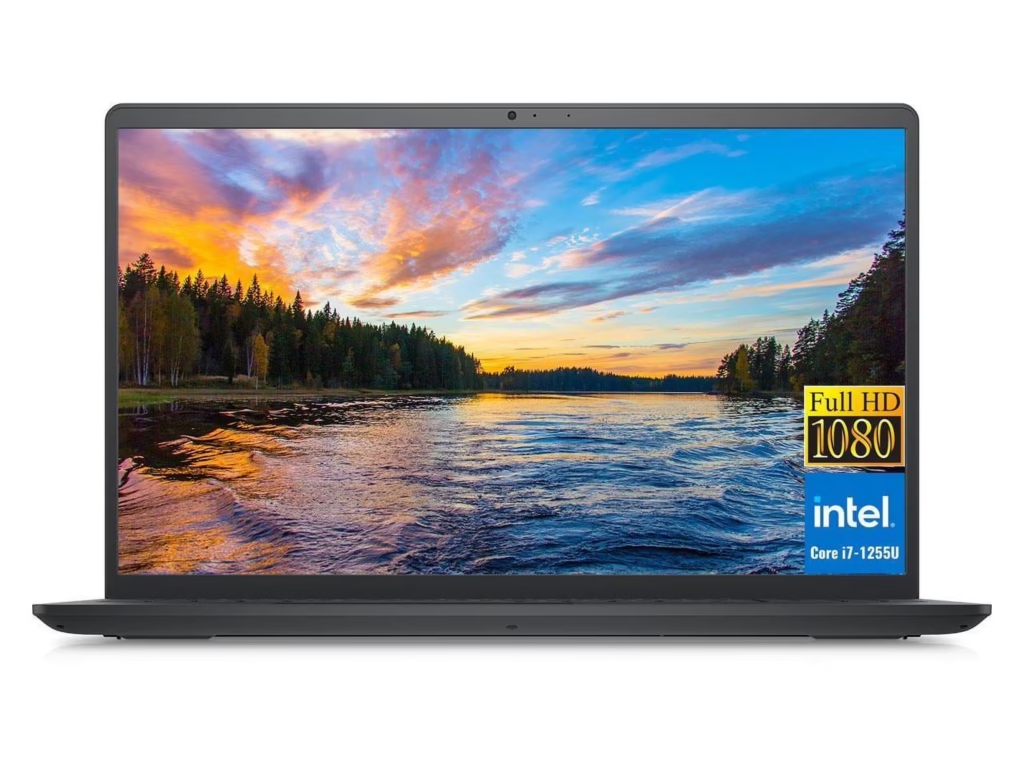
Brand Comparison—Dell vs Lenovo vs HP vs Acer Refurbished Laptops
| Brand | Best For | Starting Price | RAM | SSD | OS |
|---|---|---|---|---|---|
| Dell Latitude | All-around reliability | ~$149 | 8 GB | 256 GB | Win 10 Pro |
| Lenovo ThinkPad | Business/keyboard lovers | ~$180 | 8 GB | 256 GB | Win 10 Pro |
| HP EliteBook | Display quality | ~$159 | 8 GB | 256 GB | Win 10 Pro |
| Acer Aspire | Tightest budgets/students | ~$149 | 8 GB | 512 GB | Win 10 |
| Dell Inspiron | Power users / light gaming | ~$229 | 16 GB | 512 GB | Windows 10/11 |
Dell Refurbished Laptops: Build Quality, Reliability & Value
Dell’s business laptops—particularly the Latitude series—are the benchmark for refurbished reliability. Corporations buy them by the thousands, use them for three to four years, then trade them in. The refurbished market receives a machine that has undergone professional maintenance, light usage, and initial construction to military durability standards.
Lenovo ThinkPad Refurbished: Keyboard, Durability & Business Features
The ThinkPad keyboard alone justifies the premium over Acer. If you type frequently, the difference between a ThinkPad keyboard and a budget alternative is immediately obvious. Add in the legendary build quality, widespread availability of replacement parts, and excellent battery life, and ThinkPad refurbished units represent some of the best value for money in the entire laptop market.
HP Refurbished Laptops: Best Balance of Price and Performance
HP’s EliteBook and ProBook lines were designed for corporate buyers who demand performance and build quality. Refurbished units deliver that quality at prices most consumers wouldn’t expect. HP refurbished laptops consistently offer the best FHD display options in the $150–$250 price range—a meaningful advantage for anyone spending hours in front of a screen.
Acer Refurbished: Most Affordable Laptops for Basic Everyday Use
Acer occupies the budget end of the refurbished spectrum, honestly. These aren’t premium machines, and no one markets them as such. Acer delivers the core requirements at the lowest entry price for students, casual users, or anyone who needs a reliable laptop for basic everyday use without stretching a tight budget.
Refurbished Laptop Specs Deep Dive—What the Numbers Actually Mean
Intel Core i5 Processor vs Intel Core i7 11th Gen—Real-World Difference for Everyday Tasks
For browsing, email, and office work, you genuinely won’t notice the difference between an i5 and an i7. The Intel Core i7 11th Gen pulls significantly ahead in rendering, video editing, and running multiple demanding programs simultaneously—tasks most Windows 8.1 replacement buyers simply don’t perform daily.
Save your money on the processor and spend it on more RAM or a larger SSD instead.
8GB RAM 256GB SSD vs 16GB RAM 512GB SSD—Which Spec Tier Should You Buy?
The 8GB RAM + 256GB SSD tier covers the vast majority of everyday use cases and keeps your budget under $250. The 16GB RAM + 512GB SSD tier is for power users—it adds roughly $60–$100 to the price but meaningfully extends the machine’s useful life and performance headroom.
FHD (1080p) Display vs. HD Display—Is It Worth Paying More?
Yes, if your budget allows. The jump from 1366×768 HD to 1920×1080 FHD is immediately visible—text is sharper, images look more detailed, and the overall experience feels more premium. FHD laptops typically add $20–$40 to the price of a comparable HD unit. Anyone who spends more than a few hours daily in front of the screen finds that premium well worth it.
Backlit Keyboard: Luxury or Necessity?
In a home or office environment with good lighting, a backlit keyboard is a nice-to-have. For anyone who works in dim environments—coffee shops, flights, bed—it becomes genuinely useful. Most ThinkPad and EliteBook refurbished units include backlit keyboards as standard, which is one more reason they justify their slightly higher price.
Battery Life Expectations on Refurbished Laptops
Here’s the honest truth most sellers won’t tell you: refurbished laptop batteries have typically been through several years of charge cycles. Most Grade A refurbished units deliver 4–6 hours of real-world battery life—not the 8–10 hours claimed for the same model when new.
If long battery life is a priority, specifically look for sellers who list battery health percentage, or plan to budget $20–$40 for a replacement battery after purchase.
Best Refurbished Laptops by Use Case
Best Cheap Laptop for Everyday Use (Browsing, Email, Streaming)
Pick: Dell Latitude i5, 8GB RAM, 256GB SSD (~$149–$199) Everything you need, nothing you don’t. Fast, reliable, and affordable.
Best Budget Laptop for Business and Work-from-Home
Pick: Lenovo ThinkPad T480/T490 with Windows 10 Pro (~$180–$270). Superior keyboard, robust build, and Windows 10 Pro features for remote work and security.
Best Refurbished Laptop for Students
Pick: Acer Aspire 8GB RAM, 512GB SSD (~$149–$199) Maximum storage at minimum price—ideal for research, assignments, and media consumption.
Best Budget Gaming Laptop (Refurbished)—What’s Realistic at This Price
Be honest with yourself here: a sub-$300 refurbished laptop will not run modern AAA games at high settings. However, a Dell Inspiron with integrated Intel Iris Xe graphics and 16GB RAM handles older titles, indie games, and casual gaming perfectly well. For a dedicated budget gaming laptop, stretch to $350–$500 and look for refurbished units with discrete AMD or NVIDIA graphics.
Best Affordable 2-in-1 Laptop for Flexibility
Pick: Dell Inspiron 7000 2-in-1 or Lenovo Yoga (~$199–$329) Touchscreen versatility for users who want to annotate, sketch, or simply browse in tablet mode.
Best 15.6-Inch Refurbished Laptop for Comfort and Screen Space
Pick: Dell Inspiron 15 or HP ProBook 450 G7 (~$199–$299) The 15.6-inch form factor gives you a full-size keyboard and a screen large enough for split-window productivity without straining your eyes.
Where to Buy Refurbished Laptops Safely—Trusted Sources & Laptop Deals
What Is a Certified Refurbished Laptop? (Microsoft, Dell, Lenovo Certified)
A certified refurbished laptop has been professionally inspected, tested, cleaned, and restored by either the original manufacturer or a Microsoft-authorized partner. The key word is “certified”—it means the machine meets defined standards, carries a genuine Windows license, and comes with at least a 90-day warranty.
Manufacturer-certified programs from Dell, Lenovo, and HP are the gold standard. Third-party certified resellers who are Microsoft Authorized Refurbishers (MAR) are a close second.
Discount Computer Depot vs Amazon Renewed vs eBay Refurbished—Pros & Cons
Discount Computer Depot specializes in certified refurbished laptops and is known for transparent grading, genuine Windows licenses, and reliable customer support. For buyers who want expert curation without navigating a massive marketplace, it’s a top choice.
Amazon Renewed offers a broad selection and Amazon’s standard return policy, but quality varies between third-party sellers listed on the platform. Always check the seller’s ratings and the specific warranty offered.
eBay Refurbished has the widest selection and often the lowest prices but requires the most due diligence. Stick to sellers with 98%+ positive feedback, eBay’s Money Back Guarantee, and clear grading descriptions.
Best Laptop Deals to Watch: How to Find the Best Buy on a Budget Laptop
The best laptop deals cycle regularly. Prices drop noticeably around back-to-school season (July–September), Black Friday, and at the end of the quarter when businesses liquidate old equipment. Setting up price alerts on Google Shopping for your specific model is a practical, free way to catch the dip.
Warranty and Return Policies: What to Demand Before You Buy a Used Laptop
Never buy a refurbished laptop without a warranty. The absolute minimum acceptable is a 90-day warranty. A 1-year warranty is significantly better and marks out the most trustworthy sellers. Always verify:
- Is the Windows license genuine and transferable?
- What does the warranty cover—hardware failure only, or everything?
- Is return shipping free if the machine arrives with defects?
How to Set Up Your New Refurbished Windows 10 Laptop (Step-by-Step)
Step 1—Verify Windows 10 Pro or Windows 10 Professional License Is Activated
Before you do anything else, open Settings → Update & Security → Activation and confirm that Windows is activated with a digital license. You should see “Windows is activated with a digital license.” “If activation is missing or shows an error, contact your seller immediately—this is a warranty issue, not your problem to solve.
Step 2—Run Windows Update Immediately After Purchase
Go to Settings → Windows Update → Verify for Updates and let Windows download and install every available update. Depending on how long the laptop sat in inventory, this process can take 30–90 minutes and may require one or two restarts. Don’t skip this step—security patches are the entire point of leaving Windows 8.1.
Step 3—Install Essential Software for Everyday Use
Once Windows is fully updated, set up your core applications:
- Browser: Chrome, Firefox, or Edge
- Office Suite: Microsoft 365 (subscription) or LibreOffice (free)
- Security: Windows Defender (built in) plus Malwarebytes Free
- Cloud Storage: OneDrive, Google Drive, or Dropbox
- Communication: Zoom, Teams, or Google Meet
Step 4—Migrate Your Data from Your Old Windows 8.1 Machine
The simplest migration method is a USB external hard drive or a large USB flash drive. Copy your documents, photos, music, and download folders to the drive, then paste them onto your new laptop. Alternatively, upload everything to OneDrive or Google Drive from your old machine and download it on the new one—no physical drive required.
Step 5—Should You Upgrade to Windows 11? (Compatibility Check)
Download and run Microsoft’s PC Health Check tool (free from Microsoft.com) on your new refurbished laptop. It will tell you definitively whether your machine meets Windows 11 requirements. If it does, upgrading is straightforward and free through Windows Update. If it doesn’t—typically due to TPM 2.0 or processor limitations—Windows 10 will remain fully supported by Microsoft until October 14, 2025.
Common Mistakes to Avoid When Buying a Budget Refurbished Laptop
Buying a Laptop with Only 4GB RAM (And Why It’s a Mistake in 2026)
This is the single most common regret among budget laptop buyers. A 4GB RAM laptop will technically run Windows 10, but modern browsers alone consume 1–2GB of RAM with just a few tabs open. The machine will feel sluggish, freeze during updates, and frustrate you within weeks. Always insist on 8 GB minimum—the price difference is typically $20–$30, and it’s worth every penny.
Ignoring the Refurbished Grade—What “Cosmetic Damage” Really Means
“Cosmetic damage” in a Grade C listing can mean anything from a hairline scratch to a dented corner to a cracked palm rest. In a worst case, it can mask deeper structural issues. Unless you’re buying specifically to resell components, don’t go below Grade B—and only accept Grade B if the seller has a clear return policy.
Choosing Windows 10 Home When You Need Windows 10 Pro Features
If you work remotely and need Remote Desktop to access your office PC, or if you need BitLocker encryption to comply with workplace security policies, Windows 10 Home will leave you stuck. The upgrade from Home to Pro costs around $99 through Microsoft—far more than the small premium to buy a Windows 10 Pro machine upfront.
Overlooking 8th Gen Intel Core i5 Laptops—Hidden Value at Deep Discounts
The 8th Generation Intel Core i5 represents a genuine performance sweet spot in the refurbished market. It meets Windows 11 upgrade requirements (with TPM 2.0), handles everything a typical user needs, and costs significantly less than newer 10th- or 11th-gen units simply because it’s been in the market longer. Searching specifically for 8th Gen i5 machines is one of the best budget strategies available.
Skipping the Warranty—Never Buy a Used Laptop Without One
Every used laptop carries a small risk of hidden hardware failure that only surfaces under regular use. A warranty is your protection against that risk. Any seller unwilling to offer at least 90 days of warranty coverage is not a seller you should trust with your money.
Windows 10 vs. Windows 11 on a Refurbished Laptop—What Should You Install?
Is Windows 11 Worth It on Older Refurbished Hardware?
Windows 11 brings a refreshed interface, improved security architecture, and better performance on compatible hardware. On an 8th Gen Intel Core i5 or newer with TPM 2.0, it runs well and is worth installing. On older hardware, stick with Windows 10—forcing Windows 11 onto unsupported machines creates more problems than it solves.
TPM 2.0 and Win 11 Pro Requirements—Can Your Refurbished Laptop Qualify?
TPM 2.0 (Trusted Platform Module) is the key Windows 11 hardware requirement that trips up many older machines. Most laptops from 2018 onward have TPM 2.0 available—but it may need to be enabled in BIOS rather than being active by default. If PC Health Check says your laptop doesn’t qualify, check your BIOS settings before assuming it’s incompatible.
Best Refurbished Laptops That Come with Windows 11 Home Pre-Installed
The most commonly available refurbished models pre-loaded with Windows 11 Home are the Lenovo IdeaPad 5i (10th/11th Gen), Dell Inspiron 15 3000 series (11th Gen), and HP Laptop 15 (11th Gen Core i5). These typically run $199–$299 and are the cleanest path to a fully modern, supported operating system without any manual upgrade steps.
FAQ—Your Top Questions About Budget Refurbished Laptops Answered
What is the best budget refurbished laptop to replace a Windows 8.1 computer?
The best options are the Dell Latitude and Lenovo ThinkPad with Intel Core i5, 8GB RAM, and a 256GB SSD running Windows 10 Pro. These offer excellent build quality, reliable performance for everyday use, and typically cost between $150 and $300 from certified refurbishers—far cheaper than a new laptop.
Is a refurbished laptop safe to buy in 2026?
Yes, if purchased from a certified refurbisher. Certified refurbished laptops are professionally tested, wiped, and restored to factory settings. Look for Grade A certification, a minimum 90-day warranty, and Microsoft-authorized resellers. Brands like Dell, Lenovo, and HP offer their own certified refurbished programs with guarantees.
How much RAM do I need in a refurbished Windows 10 laptop for everyday use?
For smooth Windows 10 performance in 2026, 8 GB RAM is the recommended minimum. 4GB RAM will run Windows 10 but struggles with multiple browser tabs and modern software. If your budget allows, 16 GB RAM future-proofs the laptop and handles multitasking, light video editing, and business applications comfortably.
Can I upgrade a refurbished Windows 10 laptop to Windows 11?
Many refurbished laptops support Windows 11 if they have an 8th Gen Intel Core i5 or newer processor and meet TPM 2.0 requirements. Run Microsoft’s PC Health Check tool to verify compatibility. Laptops with Intel Core i7 11th Gen or newer will upgrade seamlessly to Windows 11 Pro or Windows 11 Home.
Is a 256GB SSD or 512GB SSD better for a budget refurbished laptop?
A 256GB SSD is sufficient for everyday use—browsing, email, Office, and streaming—if you use cloud storage. Choose a 512GB SSD if you store large files, photos, or run multiple programs locally. Either SSD option dramatically outperforms the old spinning hard drives found in Windows 8.1-era machines.
Conclusion
Replacing a Windows 8.1 machine doesn’t have to be expensive, stressful, or complicated. The refurbished laptop market in 2026 is stronger than ever—with certified, professionally tested machines from Dell, Lenovo, HP, and Acer available for $150–$300, loaded with Windows 10 Pro and the SSD performance that makes the upgrade feel transformative.
The formula is simple: 8GB RAM, 256GB SSD, Intel Core i5 (8th Gen or newer), Windows 10 Pro, Grade A condition, and a 90-day minimum warranty. Start there, and you cannot go wrong.
Whether you choose a Dell Latitude for all-around reliability, a Lenovo ThinkPad for its legendary keyboard and business features, or an HP EliteBook for its brilliant FHD display—every pick on this list delivers more security, more speed, and more peace of mind than continuing to run an unsupported, unpatched Windows 8.1 machine.
Your next step is simple: pick your use case, match it to the right recommendation above, and buy from a certified refurbisher with a clear warranty. You’re not just buying a laptop—you’re buying back your digital security. Do it today.