
Do you have bored with the present Windows 7 icon set? Want to change Windows 7 icons? If you’ve installed the Windows 7 SP1 update for your PC, there is a new icon set to be installed. It is called Token Icon Pack Installer for Windows Seven Build 7601 (SP1). The pack can be grabbed from deviantart.com.
[Image Source: IntoWindows.com]
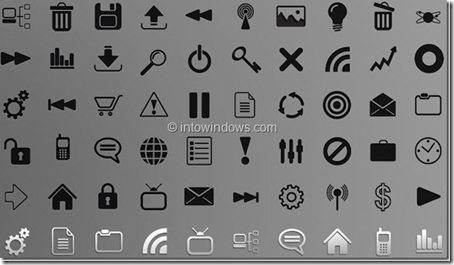
Token Icon Pack Installer, as the name suggests, automatically replaces the default icons present in Windows 7 SP1 with Token icons. Token icons are the best set of customized icons for Windows 7.
How to Install?
Installing the Token Icon Pack set is very simple. Just follow the instructions in the downloaded RAR file. Be sure to disable UAC (User Account Control) before running the icon pack installer. It’s best recommended to take a backup and create a system restore point before applying the changes.
The icon set comes in both dark and light.
You can see a video on YouTube on how to install these icons.
Now in all variations:
- The Folderband is at the top, and the Detailspanel is at the bottom.
- Folderband at the bottom and DetailsPanel at the top.
- The detail panel is at the top, and there is no folder band.
- Detailspanel at bottom and NO Folderband
Update (14/5/12): Now I’ve found out more information about token icons by ~brsev and ~mr-ragnarok and discovered different link resources on the web. You can read this updated post on dark token and desktop token icons and use the knowledge to update your icons in Windows 7.

Good work! Thank so much.